
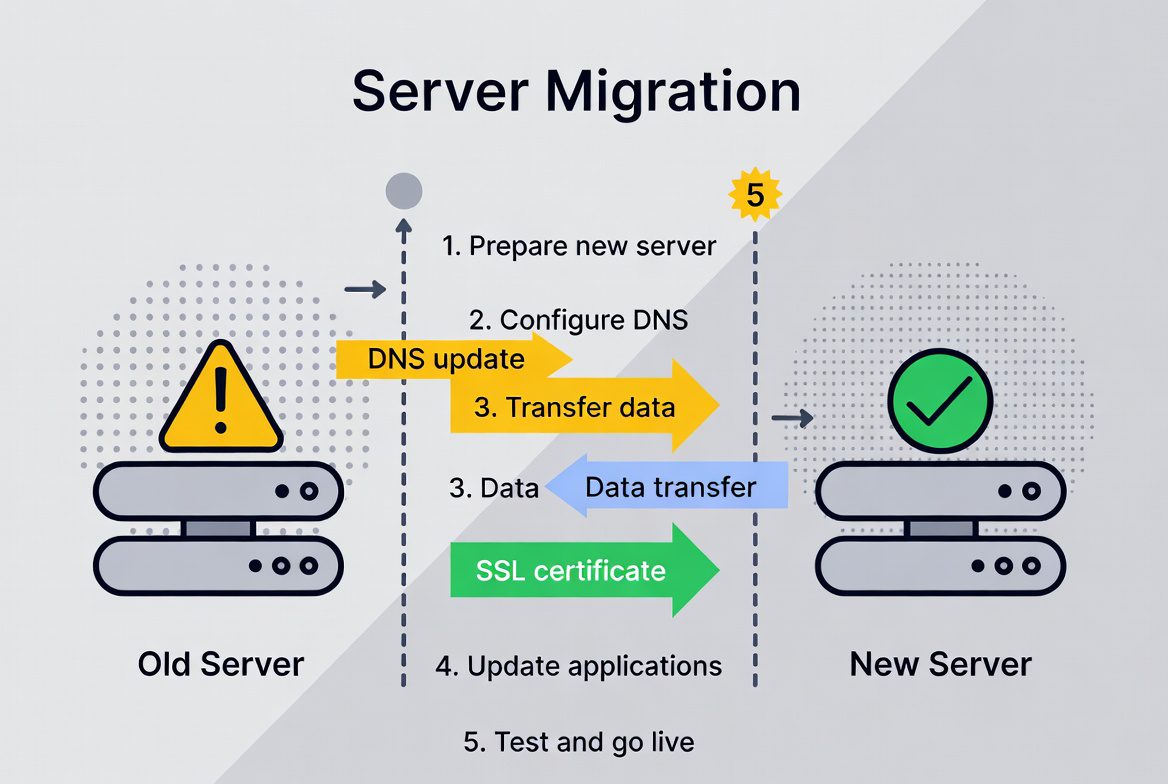
Migrasi website dari satu hosting provider ke provider lain bisa menjadi proses yang menegangkan jika tidak dilakukan dengan benar. Namun, dengan persiapan dan prosedur yang tepat, migrasi dapat berjalan lancar tanpa downtime yang signifikan. Artikel ini akan memberikan panduan lengkap cara migrasi website antara hosting provider di tahun 2025.
Alasan Melakukan Migrasi Hosting
1. Performa yang Buruk
Website loading time yang lambat atau sering mengalami downtime dapat merusak user experience dan SEO.
2. Customer Support yang Tidak Responsif
Support yang lambat atau tidak kompeten dapat menyebabkan masalah tidak terselesaikan dengan cepat.
3. Harga yang Tidak Kompetitif
Menemukan provider dengan fitur lebih baik dengan harga yang lebih terjangkau.
4. Kebutuhan Sumber Daya yang Meningkat
Website yang berkembang membutuhkan sumber daya lebih besar dari yang tersedia di hosting saat ini.
5. Fitur yang Tidak Memadai
Membutuhkan fitur teknis yang tidak tersedia di provider saat ini.
6. Lokasi Server yang Kurang Strategis
Target pasar berubah sehingga membutuhkan lokasi server yang lebih dekat dengan audiens.
7. Keamanan yang Kurang Adekuat
Provider tidak menyediakan fitur keamanan yang cukup untuk melindungi website.
Persiapan Sebelum Migrasi
1. Backup Lengkap Website
Sebelum melakukan migrasi, buat backup lengkap:
– Full website backup (files dan database)
– Backup emails jika ada
– Backup konfigurasi dan settings
– Download backup ke komputer lokal
– Verifikasi backup integrity
2. Dokumentasi Konfigurasi
Dokumentasikan semua konfigurasi penting:
– Database credentials
– Email configurations
– DNS records
– SSL certificate details
– Custom server configurations
– Third-party service integrations
3. Pilih Hosting Provider Baru
Lakukan riset menyeluruh untuk provider baru:
– Baca review dan testimoni
– Bandingkan fitur dan harga
– Test customer support
– Periksa uptime guarantee
– Cek teknologi yang digunakan
4. Setup Hosting Baru
Setup dan konfigurasi hosting baru:
– Pilih package yang sesuai
– Konfigurasi account
– Setup domain nameservers
– Install kontrol panel
– Verifikasi semua fitur berfungsi
5. Download Website Files
Download semua file website dari hosting lama:
– Gunakan FTP client (FileZilla, Cyberduck)
– Download semua direktori penting
– Periksa file permissions
– Catat struktur direktori
6. Export Database
Export database dari hosting lama:
– Gunakan phpMyAdmin atau command line
– Export dalam format SQL
– Verifikasi data integrity
– Compress file untuk kemudahan transfer
Jenis-jenis Migrasi Website
1. Static Website Migration
Untuk website HTML statis:
– Download semua HTML, CSS, JavaScript files
– Upload ke hosting baru
– Update konfigurasi jika ada
– Test semua halaman dan links
2. CMS-based Website Migration
WordPress, Joomla, Drupal:
– Backup files dan database
– Upload files ke hosting baru
– Import database ke hosting baru
– Update konfigurasi file
– Test semua functionality
3. E-commerce Website Migration
WooCommerce, Magento, Shopify:
– Backup products dan orders data
– Migrate customer data
– Update payment gateway settings
– Test checkout process
– Verify shipping configurations
4. Custom Application Migration
Website dengan custom coding:
– Backup source code
– Migrate database dengan schema yang sama
– Update configuration files
– Test semua API integrations
– Verify user authentication
Prosedur Migrasi Step-by-Step
Step 1: Pre-Migration Checklist
– [ ] Backup lengkap website
– [ ] Notifikasi users tentang maintenance
– [ ] Schedule maintenance window
– [ ] Prepare rollback plan
– [ ] Test environment setup
Step 2: Setup Hosting Baru
– [ ] Account setup dan konfigurasi
– [ ] Domain pointing preparation
– [ ] SSL certificate setup
– [ ] Email accounts setup
– [ ] Security configurations
Step 3: File Migration
– [ ] Download files dari hosting lama
– [ ] Upload files ke hosting baru
– [ ] Set file permissions yang benar
– [ ] Verify file integrity
– [ ] Test website basic functionality
Step 4: Database Migration
– [ ] Export database dari hosting lama
– [ ] Create database di hosting baru
– [ ] Import database ke hosting baru
– [ ] Update database credentials
– [ ] Test database connectivity
Step 5: Configuration Updates
– [ ] Update config files dengan credentials baru
– [ ] Update database connection strings
– [ ] Configure email settings
– [ ] Update third-party API keys
– [ ] Test semua integrations
Step 6: DNS Migration
– [ ] Lower TTL values sebelum migrasi
– [ ] Update nameservers ke hosting baru
– [ ] Monitor DNS propagation
– [ ] Verify website accessibility
– [ ] Test email functionality
Step 7: Post-Migration Testing
– [ ] Test semua halaman website
– [ ] Verify forms functionality
– [ ] Test user registration/login
– [ ] Check e-commerce functionality
– [ ] Test mobile responsiveness
Step 8: Final Cleanup
– [ ] Delete temporary files
– [ ] Cancel hosting lama
– [ ] Update documentation
– [ ] Notifikasi users
– [ ] Monitor performance
Tools untuk Memudahkan Migrasi
1. Migration Plugins
– All-in-One WP Migration (WordPress)
– Duplicator (WordPress)
– Migrate Guru (WordPress)
– Joomla Migration Tools
– Drupal Migration Modules
2. FTP Clients
– FileZilla
– Cyberduck
– WinSCP
– Transmit (Mac)
– CuteFTP
3. Database Tools
– phpMyAdmin
– Adminer
– MySQL Workbench
– HeidiSQL
– Sequel Pro (Mac)
4. DNS Tools
– DNSChecker.org
– WhatsMyDNS.net
– Google Admin Toolbox
– MXToolbox
– IntoDNS
Strategi Migrasi Tanpa Downtime
1. Parallel Environment
Setup website di hosting baru sementara hosting lama masih aktif.
2. Staging Environment
Test semua functionality di staging environment sebelum go live.
3. Database Synchronization
Gunakan tools untuk synchronize database antara hosting lama dan baru.
4. Gradual Traffic Migration
Gunakan load balancer untuk gradual traffic migration.
5. Blue-Green Deployment
Maintain dua environment dan switch traffic instantaneously.
Best Practices untuk Migrasi yang Aman
1. Maintenance Window
Schedule migrasi saat traffic rendah:
– Pilih jam sibuk yang paling sepi
– Notifikasi users advance
– Sediakan maintenance page
– Monitor social media untuk pertanyaan
2. Communication Plan
Komunikasikan migrasi ke stakeholders:
– Internal team notification
– Customer announcement
– Support team preparation
– Emergency contact information
3. Security Considerations
Pastikan keamanan selama migrasi:
– Gunakan SFTP bukan FTP
– Change password setelah migrasi
– Verify SSL certificate validity
– Security scan setelah migrasi
4. Performance Testing
Test performa website di hosting baru:
– Load testing dengan expected traffic
– Page speed testing
– Database performance testing
– CDN integration testing
Mengatasi Masalah Umum Selama Migrasi
1. Database Connection Errors
– Verify database credentials
– Check database name
– Verify user permissions
– Test database connectivity
2. File Permission Issues
– Set correct file permissions
– Check ownership settings
– Verify .htaccess rules
– Test file accessibility
3. SSL Certificate Problems
– Verify certificate installation
– Check certificate chain
– Test HTTPS functionality
– Update mixed content issues
4. Email Configuration Issues
– Update MX records
– Configure email clients
– Test email sending/receiving
– Verify SPF/DKIM records
5. Plugin/Theme Conflicts
– Update semua plugins/themes
– Test compatibility
– Check PHP version requirements
– Verify third-party integrations
Post-Migration Optimization
1. Performance Optimization
– Enable caching
– Optimize images
– Minify CSS/JavaScript
– Configure CDN
2. SEO Preservation
– Implement 301 redirects jika URL berubah
– Update sitemap
– Verify Google Search Console
– Monitor rankings
3. Security Hardening
– Implement security headers
– Update all software
– Configure firewall
– Enable monitoring
4. Monitoring Setup
– Setup uptime monitoring
– Configure performance monitoring
– Enable security monitoring
– Setup alert systems
Kesalahan Umum yang Harus Dihindari
1. Tidak Backup Sebelum Migrasi
Backup adalah jaring pengaman terakhir Anda.
2. Tidak Testing di Staging Environment
Testing di production dapat menyebabkan issues yang tidak terduga.
3. Mengabaikan Mobile Users
Pastikan mobile functionality works setelah migrasi.
4. Lupa Update DNS Records
DNS configuration salah dapat menyebabkan website tidak dapat diakses.
5. Tidak Monitoring Setelah Migrasi
Monitoring penting untuk menemukan issues yang muncul setelah migrasi.
Kesimpulan
Migrasi hosting adalah proses kompleks yang membutuhkan perencanaan dan eksekusi yang hati-hati. Dengan persiapan yang baik, tools yang tepat, dan prosedur yang sistematis, migrasi dapat dilakukan dengan downtime minimal dan zero data loss.
Ingat bahwa migrasi adalah investasi waktu dan effort untuk performa yang lebih baik di masa depan. Jangan ragu untuk berkonsultasi dengan professional jika Anda tidak yakin dengan proses migrasi, terutama untuk website kompleks atau high-traffic.
Plan your migration carefully, execute systematically, and monitor thoroughly. Dengan pendekatan yang tepat, website Anda akan berfungsi lebih baik di hosting provider baru.
Leave A Comment?
You must be logged in to post a comment.